
Most ERP (Enterprise Resource Planning) decisions get made under pressure. A system breaks, a spreadsheet stops scaling, or a board meeting surfaces the question nobody wants to answer: why does it take three days to close the books?
In scenarios like this, a choice that will shape how your company operates for the next five to seven years often lands on the CTO’s desk with a two-week deadline. Lack of proper planning and capabilities for custom ERP software development explains why as many as 25% of ERP initiatives will fail catastrophically.
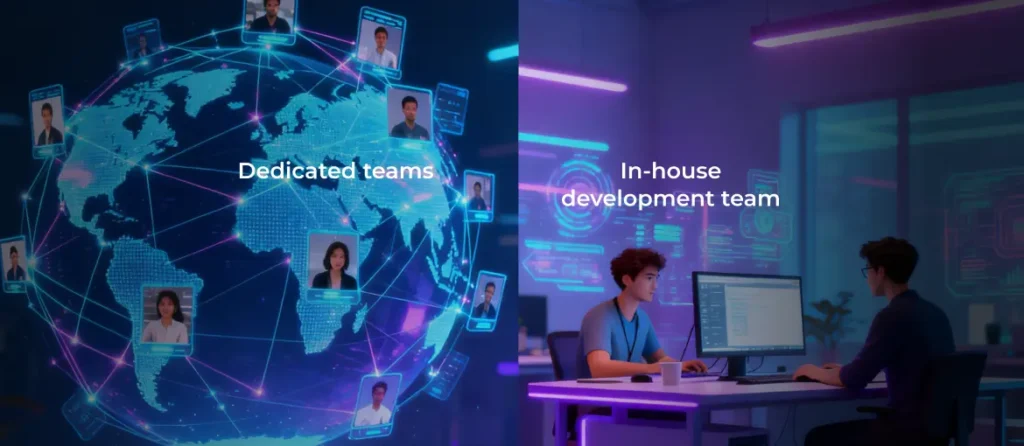
This guide gives you a practical framework to avoid that trap. It examines three real delivery paths: building in‑house, buying a packaged ERP, or outsourcing to a specialist team. The goal is to help you choose the model that fits your processes, constraints, and strategy.
What is custom ERP development — and what it isn’t
Custom ERP development means building software around how your business actually operates rather than forcing you to adapt to pre-defined software workflows.
At its core, ERP software connects the operational systems that run a company: finance, procurement, inventory, HR, CRM, operations, reporting, approvals, and internal workflows. A custom ERP system centralizes those functions inside a platform designed specifically for your business logic, workflows, user roles, reporting structure, integrations, and data model.
Most off-the-shelf ERP platforms cater to the “average” company in a given industry. One the upside, this strategy works well when your operations largely follow standard industry practices. The downside of that approach, however, is that businesses rarely operate in averages for long.
As companies grow, they develop unique approval chains, specialized pricing logic, industry-specific compliance workflows, custom integrations, and reporting requirements that generic ERP systems often struggle to support cleanly. As a result, you risk spending months bending your processes to fit software that was never designed for your business.
Custom ERP flips that relationship. Your processes define the system, not the other way around.
What ERP is not
1. ERP is not a software purchase — it’s an operating model decision. The system you choose determines:
- How data moves across teams
- How decisions get made
- How quickly operations scale
- How automation works
- How adaptable the business becomes over time
That’s why ERP decisions tend to outlive leadership teams, technology trends, and even entire business strategies.
2. ERP won’t fix broken processes. In fact, poorly designed processes often become more dangerous after ERP implementation because automation accelerates both good systems and bad ones. If approvals are unclear, ownership is fragmented, or data quality is poor, ERP simply amplifies those problems.
3. ERP is never truly finished. Even highly successful implementations require ongoing governance, workflow optimization, security updates, integration management, user training, and continuous evolution as the business changes.
The companies that succeed with ERP are usually the ones that stop viewing it as a one-time IT project and treat it as a long-term operational initiative.
The hidden cost of the wrong ERP fit
Most ERP conversations revolve around the cost of switching — and almost none focus on the cost of staying. The price of a new system appears in a proposal. The price of a broken one accumulates invisibly: in hours, errors, and decisions that take longer than they should.
What a poor-fit ERP actually costs
Inadequate ERP implementations result in the accumulation of workarounds needed to bridge the gap between system functionality and actual business processes. Consider these examples:
- The finance analyst exports data to Excel every Monday morning because the ERP can’t produce the report the CFO actually needs.
- The ops coordinator maintains a parallel spreadsheet to track exceptions that the system can’t handle.
- The warehouse team re-enters order data across two platforms because the integration keeps breaking.
None of these costs appear on any invoice. They live in headcount hours, in errors that surface days after they’re made, and in decisions based on inaccurate or stale data.
Let’s take a mid-sized distribution company with 80 employees as an example. At a business of this size, operations teams can spend roughly 12 hours a week reconciling inventory data across the ERP, e-commerce platform, and 3PL (third-party logistics) provider if none of the three systems communicate cleanly. That’s equivalent to the full-time workload of 1.5 people spent on manual tasks that a well-integrated system would handle automatically. Annualized, it’s a six-figure cost that never shows up in a software budget.
When “good enough” stops being good enough
Most companies don’t replace an ERP because they discover a slightly better alternative. They replace it because the existing system becomes a growth constraint.
Early on, teams compensate for limitations manually. A few spreadsheets here, a custom report there, an integration workaround maintained by someone in operations. The business continues to function, creating the illusion that the system is still “good enough.”
Problems like these accumulate as companies scale. New locations, product lines, compliance requirements, or customer channels increase operational complexity faster than the ERP can adapt.
Poor ERP fit means leadership loses visibility because reporting depends on stitching data together manually. Launching a new workflow requires weeks of vendor configuration or consultant support. Integrations become increasingly fragile as more systems are added around the ERP rather than inside it. Teams stop trusting the data because different departments operate from slightly different versions of reality.
At that point, the issue is no longer an inconvenience or manageable friction. The system is actively limiting execution speed and operational flexibility on a structural level.
The cost of staying put is often higher than the cost of switching — it’s just distributed across teams and accumulates slowly enough for it to appear on a single budget line.
The migration scenario when you’re already on an ERP
Most build-versus-buy guides assume you’re starting from scratch. Most real companies aren’t. If your organization is already running on SAP, NetSuite, Oracle, Odoo, or a legacy custom system, the decision looks different. Here, you’re choosing between a sunk investment and a better future state, which is a harder conversation to have internally.
Migration from an existing ERP adds layers that greenfield implementations don’t have. Your data is already structured, often messily, with years of workarounds baked in. Before a single line of new code gets written, teams need to audit what data exists, what’s clean, what needs transformation, and what can simply be archived. This work alone can take weeks.
Then there’s the parallel-running period: the window when both systems operate simultaneously while teams validate that the new one produces correct outputs. This phase is where migration projects most commonly stall, as it demands significant attention from the same people who are still running daily operations.
User retraining is the third layer. Staff who’ve spent years developing muscle memory around one system need structured support to transition, not just access to a new login. Companies that underinvest in this phase see adoption drag on for months.
None of this makes migration the wrong call. It makes it a different kind of project, one that requires a realistic timeline, a dedicated internal owner, and a development partner experienced in bringing messy legacy data into clean new systems.
Build, buy, or outsource: a clear comparison
The right path depends on factors that are specific to your organization. But before getting into the decision framework, it helps to see all three options side by side.
| Build in-house | Buy packaged (SaaS/on-premise) | Outsource custom development | |
|---|---|---|---|
| Upfront cost | High: salaries, infrastructure, extended timeline | Low to medium: setup fees, implementation consultants | Medium: project-based development fee |
| Time to go-live | 6–18 months minimum (including hiring and team ramp-up) | 2–12 weeks (basic); 3–6 months (complex) | 8–16 weeks (phase one); 4–9 months (full build) |
| Customization depth | Unlimited: you control everything | Limited: vendor architecture constrains what’s possible | Unlimited: fully tailored to your workflows and data model |
| Scalability | Full control over roadmap and capacity | Vendor-dependent: constrained by their release cycle and pricing tiers | Your roadmap, partner-supported: scales without license escalation |
| Maintenance ownership | Entirely internal: your engineers, your budget | Vendor-managed: you’re dependent on their support quality | Shared: partner handles development, you own the product |
| Compliance control | High: you design the data model and access controls | Vendor-led: updates on their timeline, not yours | High: compliance requirements built into the architecture from day one |
| Best-fit scenario | ERP is your core product; a large, stable engineering team; a 5-year+ horizon | Standard workflows; urgent timeline; ERP is infrastructure, not an advantage | Unique processes; no large internal engineering org; want custom tools without the build risk |
Build in-house
Building your own ERP gives you the greatest degree of control and commitment. Your engineers design it, your team maintains it, and your roadmap determines what gets built next. There’s no vendor to negotiate with, no license fee that scales with headcount, no forced upgrade that breaks your customizations.
That control is genuinely valuable when the conditions are right. Companies for whom operations are the product (e.g., logistics platforms, fintech infrastructure, marketplace businesses with proprietary transaction flows) have a real reason to build in-house. So do organizations with large, stable engineering teams who can absorb ERP maintenance as an ongoing responsibility rather than an exceptional burden.
The risks are equally real. Scope creep is endemic to in-house ERP builds: requirements shift, stakeholders request new features, and timelines stretch. The hero-engineer dependency is also a problem: custom systems are often understood by only a few key experts, and when they leave, institutional knowledge walks out with them. Another potential issue is technical debt that accumulates when leadership attention drifts after go-live, and the maintenance budget gets raided for other priorities.
Buy packaged (off-the-shelf/SaaS ERP)
Packaged ERP is the fastest path to operational. Vendors like SAP, Oracle, NetSuite, and Microsoft Dynamics have spent decades encoding industry best practices into their platforms. Compliance updates, security patches, and new features arrive on the vendor’s schedule without requiring internal engineering effort. Implementation can take weeks rather than months for straightforward configurations.
This path makes sense when your workflows are broadly standard for your industry, or when you need a system to go live quickly. It also works well when ERP is infrastructure — something that needs to run reliably, not create competitive advantage.
That said, packaged ERP comes with tradeoffs that become more visible over time. Subscription pricing scales with users and modules, and annual increases of 10–15% are common. Customization beyond the vendor’s intended boundaries quickly becomes expensive and sometimes hits architectural limits that no amount of budget can overcome.
Vendor-controlled upgrade cycles can also create operational friction, especially when updates affect existing integrations or custom workflows. And if you eventually decide to migrate away, you may discover how deeply the vendor’s architecture has shaped your data structures, reporting logic, and internal processes.
Outsource custom ERP development
With outsourced custom ERP development, an external team designs and builds the system for you, but the product remains entirely yours. You control the roadmap, data model, and intellectual property while avoiding the cost and complexity of assembling a large internal engineering organization.
Choose this path when these conditions apply:
- You have processes that packaged ERPs don’t support.
- You don’t have and don’t want to build a sizable in-house engineering team.
- You need to move faster than a hiring-and-ramping timeline allows.
- You want to avoid the uncertainty and costs of building a new capability from scratch internally.
Whereas buying offers a vendor’s opinionated architecture that you configure within fixed limits, outsourcing yields a solution that reflects your data model, workflows, and roadmap. The distinction from building in-house is primarily about cost and commitment since you’re not funding an internal team to handle platform development and maintenance. Since you’re dealing with external talent, you need to invest sufficient effort in vendor selection and ensure the engagement has defined phases, clear deliverables, and built-in handoff protocols.
How to decide: a practical scoring framework
There is no single metric that tells you whether to build, buy, or outsource ERP development.
For example, a company might have highly unique workflows but no internal engineering capability. Another might have a strong technical team but extreme timeline pressure. A third may operate in a regulated industry where data control matters more than speed.
That is why ERP decisions work best as a weighted-scoring exercise rather than a binary debate. The right decision usually comes from balancing decision factors across six dimensions.
1. Process uniqueness: is your operation standard or proprietary?
Most companies believe their workflows are unique. Most are at least partially wrong. General ledger, accounts payable, payroll, and standard HR workflows are all solved problems, and you do not gain a competitive advantage by reinventing them.
Buy signals:
- Standard finance workflows
- Typical procurement processes
- Basic HR and payroll
- Conventional reporting needs
- Industry-standard operational flows
Build or outsource signals:
- Proprietary pricing logic
- Complex fulfillment routing
- Industry-specific compliance workflows
- Unique approval chains
- Non-standard operational data models
- Customer-facing operational systems
| A good test: if competitors could buy the same ERP tomorrow and instantly replicate your operational advantage, your processes are probably not proprietary enough to justify a full custom build. |
2. Total cost of ownership over 5 years
Most ERP evaluations compare year-one costs. That is where bad decisions start. The real cost curve only becomes visible over three to five years.
Hidden costs of building in-house:
- Engineering salaries growth
- Recruitment and attrition backfill
- Ongoing feature development
- DevOps infrastructure
- Security and compliance overhead
- QA and automated testing
- Documentation and onboarding
- Technical debt remediation
Hidden costs of buying packaged ERP:
- Annual license escalation (often 10–15%)
- Implementation consultants
- Per-user expansion costs
- Customisation fees
- Integrations and maintenance
- Vendor upgrade projects
- Migration costs if you leave later
- User training
Outsourced custom ERP economics:
- Lower engineering costs compared to in-house development
- No recurring license inflation
- Lower hiring, retention, and upskilling overhead
- Maintenance and support covered through SLAs or retained engagement models
| The important part is not finding the cheapest option. It is determining what cost structure your organization can realistically sustain long-term. |
3. Timeline pressure: how fast do you actually need this?
Timeline pressure changes ERP decisions dramatically. If your current systems are actively impeding, complicating, or breaking operations, speed may matter more than perfect process fit.
Packaged ERP wins on deployment speed because much of the functionality already exists. Custom ERP, whether outsourced or internal, trades speed for flexibility and fit.
| A red flag is selecting a packaged ERP under severe time pressure, then attempting to heavily customize it afterward to compensate for a poor fit. That usually creates the worst of both worlds. |
4. Internal capability: what can your team realistically own?
Building an ERP system is rarely the hardest part. The greater challenge is ensuring the organization can operate, maintain, and evolve it reliably over time.
Build in-house requires:
- ERP-grade engineering talent
- Stable requirements management
- Strong DevOps and security practices
- Long-term executive funding commitment
- Product ownership discipline
- Ongoing maintenance capacity
Outsourced custom ERP requires:
- A strong internal product owner
- Stakeholder availability during development
- Clear prioritization processes
- Governance over roadmap decisions
Buying a packaged ERP requires:
- Business analysts
- Integration specialists
- Internal system champions
- Vendor management capability
- Dedicated engineering resources owning custom functionality and integrations
5. Compliance and data control requirements
For regulated industries, ERP decisions are often shaped by compliance before functionality.
GDPR (The General Data Protection Regulation), HIPAA (Health Insurance Portability and Accountability Act of 1996), SOC 2 (System and Organization Controls 2), PCI DSS (Payment Card Industry Data Security Standard), and industry-specific regulations affect:
- Data residency
- Audit logging
- Access controls
- Security architecture
- Retention policies
- Reporting requirements
Custom ERP advantages:
- Full control over infrastructure
- Custom audit trail design
- Flexible access-control logic
- Region-specific hosting
- Easier alignment with internal governance policies
Packaged ERP advantages:
- Vendor-managed compliance updates
- Built-in certifications
- Established security frameworks
- Shared compliance ecosystem
| A common red flag is assuming that vendor compliance automatically satisfies your organization’s own regulatory obligations, which is often not the case. |
6. Strategic importance: is ERP your advantage or your plumbing?
If operational execution is central to your competitive advantage, ERP becomes a strategic infrastructure. That is common in logistics companies, fintech platforms, manufacturing operations, marketplaces, supply-chain businesses, and operationally complex SaaS platforms.
In those environments, custom ERP often creates real business leverage.
But if ERP is mainly internal infrastructure that needs to work reliably while leadership focuses elsewhere, packaged systems usually make more sense.
| A useful question: would improving operational workflows directly improve revenue, customer experience, or competitive positioning? |
If yes, custom development becomes much easier to justify. If not, buying may be the smarter operational decision. The final check is honesty. Are you pursuing a custom ERP because it creates a measurable advantage or because building software feels more interesting than adapting to standard tools?
What custom ERP development involves
If you’ve landed on a custom ERP, whether built in-house or outsourced, the next question is what you’re actually signing up for. Here’s what the process looks like in practice.
The development lifecycle phases
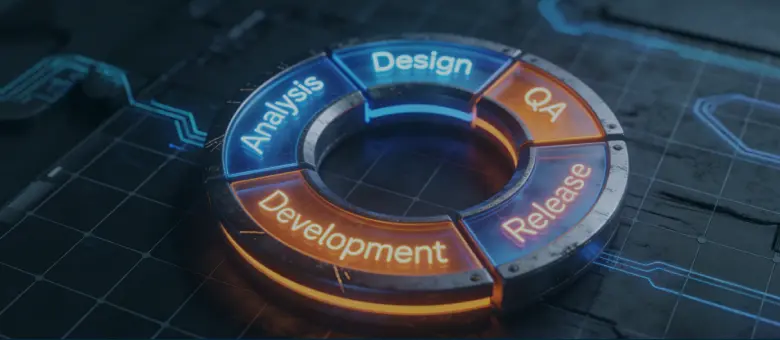
- Phase 1: discovery and requirements (4–8 weeks). This is where projects are won or lost, and it gets rushed more than any other phase. Developers and business analysts work with actual users to map current workflows, identify pain points, and define the future state. The output is a requirements document and process map.
- Phase 2: architecture and design (4–8 weeks). Engineers define how the system will be structured: the data model, module boundaries, integration points with existing systems, security framework, and access control design. Decisions made here are expensive to reverse later. This is also the right moment to design for AI readiness (more on that shortly).
- Phase 3: development (3–12 months, scope-dependent). Building the actual solution proceeds in iterative sprints, typically two weeks each, with regular demos and stakeholder sign-off on each module before moving forward. This rhythm catches misalignments early, when they’re cheaper to fix.
- Phase 4: testing and QA (ongoing throughout). Unit testing validates individual components. Integration testing ensures modules work together. Performance testing verifies that the system can handle real-world user loads. Security testing identifies vulnerabilities before they reach production. UAT (user acceptance testing) confirms that real users can do their actual jobs in the system. Skipping any of these phases is how projects end up with expensive post-launch defects.
- Phase 5: deployment and end-user training (4–12 weeks). This includes migrating data from legacy systems, setting up production environments, supporting go-live, and training employees on how to use the system in their roles.
- Phase 6: post-launch optimization. The ERP you go live with is not the ERP you’ll run in two years. Usage patterns reveal requirements that didn’t surface during design. Business conditions change. New integrations become necessary. As a result, you need to budget for ongoing development, not just bug fixes and maintenance.
Core modules: what companies actually build
Every custom ERP is different, but the module categories are fairly consistent:
- Financial management: general ledger, AP/AR, budgeting and forecasting, multi-currency support, compliance reporting
- Inventory and supply chain: real-time stock visibility, automated reorder logic, multi-warehouse management, supplier workflows, purchase order tracking
- HR and workforce: payroll support, leave management, attendance tracking, performance reviews, access permissions
- CRM: sales pipeline tracking, customer records, service ticketing, interaction history
- Operations and project control: task and milestone tracking, cost tracking, SLA (service level agreement) visibility, exception handling
- Reporting and BI (business intelligence): role-based dashboards, custom KPI (key performance indicator) reporting, predictive analytics, automated alerts
AI readiness: build it in, don’t bolt it on
The most common architectural mistake in 2026 ERP builds is treating AI as a future concern rather than a present reality. Teams plan to “add AI later” — after the core system is stable, adoption is solid, and the budget recovers. By then, the data model is set, and retrofitting AI capability onto a poorly structured foundation is expensive and often produces worse results than starting with it in mind.
AI-ready ERP systems are built around clean, structured data, API-first architecture, consistent event logging, reliable audit trails, standardized workflows, and real-time operational visibility. Without those foundations, AI initiatives quickly become unscalable.
In modern ERP design, the general trend for both off-the-shelf and custom solutions is to move from assistive AI, which supports decision-making, to agentic AI, which autonomously executes workflows.
| Domain | Assistive AI capabilities | Agentic AI capabilities |
|---|---|---|
| Supply chain | Demand forecasting, delay alerts, and inventory recommendations | Detects supplier delays, automatically sources alternatives, and updates inventory levels based on predefined rules |
| Finance | Anomaly detection, reconciliation suggestions, cash flow insights | Continuously reconciles accounts, flags and resolves discrepancies, and automates parts of the month-end close processes |
| Maintenance | Predictive failure alerts based on sensor/IoT data | Automatically schedules maintenance, triggers procurement of parts, and coordinates repair workflows without manual intervention |
| Procurement | Spend analysis, vendor performance insights | Negotiates reorder triggers, selects preferred suppliers, and initiates purchase workflows within approval boundaries |
| Operations | KPI monitoring, bottleneck detection | Re-routes tasks, reallocates resources, and adjusts workflows in response to real-time constraints |
The key shift is that AI in ERP is no longer limited to analysis or recommendations. As systems become more integrated and data-rich, they increasingly move toward execution, operating within business-defined constraints rather than simply advising.
Custom ERP development costs: what to budget for
ERP budget overruns are rarely caused by the software alone, but by underestimating all the surrounding work required to implement and operate it. Development is only one piece of the total ERP investment. Data migration, integrations, training, support, governance, and ongoing iteration often become equally significant cost drivers over time. That is why smart ERP planning models consider the total cost of ownership (TCO), not just implementation cost.
Development cost ranges by scope
The cost of custom ERP development depends on module quantity, integration complexity, compliance requirements, user volume, infrastructure needs, and business logic.
Here is a realistic high-level range for custom ERP projects in 2026.
| Business size | Typical scope | Estimated cost | Timeline |
|---|---|---|---|
| Small business | Core finance, inventory, CRM | $50K–$250K | 6–12 months |
| Mid-market | 5–10 modules, advanced integrations | $250K–$750K | 12–18 months |
| Enterprise | Full suite, compliance, multi-site operations | $750K–$2M+ | 18–24 months |
These ranges assume cloud-native architecture, modern API integrations, and ongoing stakeholder involvement during delivery.
Outsourced ERP development (especially through nearshore or offshore dedicated teams) can reduce delivery costs by roughly 30–50% compared to building equivalent internal engineering capacity. However, a lower development cost should not reduce your ownership of the product, its architecture, or its long-term roadmap. You are outsourcing execution capacity, not strategic control.
Cost dynamics over 3 years: how the curves actually behave
| Build in‑house | Buy packaged ERP | Outsource custom ERP |
| Year 1 is dominated by design and development. Years 2–3 shift into ongoing engineering payroll, platform maintenance, and continuous feature work. Costs rarely flatten completely because ownership and responsibility to keep improving stay fully internal. | Year 1 often looks relatively low because you’re mostly paying for implementation plus the first year of licenses. Over time, subscription fees, per‑user scaling, new modules, integration projects, and vendor‑driven upgrades steadily increase the total cost of ownership. | Year 1 carries most of the build investment. Years 2–3 move toward a more predictable pattern of maintenance and incremental enhancements, usually without license‑driven cost inflation. The curve rises as you add capability, but it’s driven by your roadmap. |
Why ERP projects fail, and how to be in the minority that succeeds
Research shows that most ERP failures stem from organizational factors that were visible before the project started and were ignored anyway. Understanding what goes wrong is the most practical preparation for getting it right.
The real reasons ERP projects fail
- Change management failure is the leading cause, implicated in roughly 42% of failures and corroborated by multiple studies. People resist new systems because no one has explained what changes, why it changes, and what’s in it for them. Without structured communication and leadership, resistance becomes the default reaction.
- Poor scope definition and scope creep account for approximately 35% of failures. Projects that begin without clearly documented, agreed-upon requirements tend to accumulate features mid-build as stakeholders discover the system’s possibilities. Each addition seems reasonable in isolation. Collectively, they push timelines by months and require securing additional budget.
- Underestimating data migration is a problem in roughly 49% of ERP projects. Teams often assume their data is cleaner than it really is. Legacy systems contain years of workarounds, duplicate records, inconsistent field usage, and values that once made sense but no longer do. Discovering this at migration time is one of the most common causes of go-live delays.
- Choosing the wrong partner compounds every other risk. An inexperienced team takes longer to surface problems, is slower to resolve them, and is less likely to push back when scope decisions are heading somewhere dangerous.
- Treating it as a tech project, not a business transformation, is the framing failure underneath all the others. ERP implementation changes how people work, how decisions get made, and what information flows where. Organizations that hand it entirely to IT and expect the business to adapt to whatever gets delivered are consistently disappointed.
Who needs to own the ERP internally
The “nobody owns it” failure mode is more common than it should be. A project kicks off with genuine executive enthusiasm, gets handed to a project manager, and six months in, the decisions that need a senior voice go unanswered because everyone assumed someone else was accountable.
Every ERP implementation needs clearly named owners at several levels:
- Executive sponsor: a senior leader (ideally C-level) who has political authority to resolve cross-departmental conflicts, protect the project budget, and signal organizational commitment. Without this oversight, the project loses priority the moment anything else becomes urgent.
- Internal product owner: a person who knows the requirements in detail, attends every sprint review, makes decisions when requirements conflict, and acts as the primary interface between the business and the development team. This role requires real-time commitment, not a weekly check-in.
- Department leads: finance, operations, HR, and any other function the system touches need a named representative who owns requirements for their area and signs off on their module before go-live.
- Super-users: one or two people per team who learn the system deeply during implementation and become the first line of internal support after launch. They’re also the early adopters who influence how their colleagues feel about the new system.
Phased rollout versus big bang
While big bang implementations — where all functionality goes live at once — are technically possible, most organizations in practice default to a phased rollout. ERP systems are large, interconnected platforms, and the operational risk of switching everything simultaneously is extremely high.
By introducing systems incrementally, teams can validate functionality in controlled environments before expanding system-wide. It also makes it easier to stabilize integrations, refine workflows based on real usage, and support user adoption in manageable steps.
The sequencing of phases depends on context. In many organizations, it makes sense to start with the areas that cause the most operational friction or deliver the clearest measurable ROI. In cases where ERP is closely tied to competitive advantage (e.g., proprietary operational workflows), early phases may instead focus on those differentiating processes to validate business value before a broader rollout.
Change management: the work nobody wants to do
Change management is the most consistently underfunded element of ERP projects, and the correlation between underinvestment here and adoption failure is direct.
- Involve your employees in design and testing. People support what they help build. A warehouse lead consulted during requirements definition will advocate for the system to their team. One who encountered it for the first time during training will be at best skeptical.
- Communicate the “why” before the “what.” Teams who understand the business reason for the change — and specifically what it means for their day-to-day work — adapt faster than those handed a training manual with no context.
- Cultivate internal champions per department. These roles emerge naturally as employees become power users during testing and early adoption. Peer influence is often more effective than top-down communication. When respected team members actively support the system, adoption spreads more reliably than through company-wide messaging or formal training.
- Allocate 10–15% of your total project budget to training and change management. Many organizations significantly underinvest in this area, often treating it as a small add-on rather than a core workstream.
How to choose the right ERP development partner
Assuming you’ve decided to go custom, your choice of development partner is the highest-leverage decision you’ll make. The right team compresses timelines and surfaces problems early. The wrong one turns manageable risks into project-ending crises.
What separates a good ERP partner from the rest
- Technical depth. ERP-grade engineering is not the same as web application development. Building systems that handle complex financial reconciliation, multi-warehouse inventory logic, or compliance audit trails requires engineers who have done it before. Ask specifically about ERP experience, not just general software development. A team that’s shipped twenty e-commerce sites is not automatically qualified to build your operational backbone.
- Industry experience. A partner who has built systems in your sector arrives with domain knowledge that significantly reduces requirements time. They know the compliance landscape, the common integration points, and the edge cases that only surface in production.
- Development methodology. Agile and iterative approaches are strongly preferable for ERP builds. Fixed-scope waterfall projects that deliver everything in month twelve, with no intermediate feedback loop, are how companies discover that the shiny system doesn’t match how their business actually works. Look for partners who demo working software regularly, involve stakeholders in sprint reviews, and have a clear process for handling requirement changes without blowing up the budget.
- Post-launch support model. The relationship shouldn’t end at go-live. Ask specifically what post-launch support looks like. Is there a defined SLA? A dedicated support team? The answer tells you a lot about how the partner thinks about long-term relationships versus one-time engagements.
Green flags and red flags when evaluating partners
| Green flag | Red flag | |
|---|---|---|
| Proposals | Detailed, specific, with clear assumptions | Vague scope with a number attached |
| Methodology | Defined sprint process, regular demos, documented change control | “We’re flexible” with no actual process described |
| Pricing model | Time-and-materials with clear estimates, or milestone-based with defined scope | Fixed price for a scope that isn’t fully defined yet |
| Post-launch | Defined support SLA, maintenance team, and enhancement process | “We’ll figure that out after go-live” |
| Discovery | Proposes a paid discovery phase before committing to a full build | Pressure to sign a full contract before any requirements work |
| Communication | Named project lead, defined cadence, transparent escalation path | Single point of contact who is also the salesperson |
One pattern worth watching for specifically: partners who offer fixed-price contracts on projects where requirements aren’t fully defined. This sounds like risk protection for you. In practice, it’s risk transfer — the partner protects their margin by delivering the letter of the contract rather than the spirit of what you needed, and change requests become expensive negotiations. Established software development methodologies with clear milestone-based pricing and defined scope change processes offer far better outcomes than fixed-price contracts on complex, evolving builds.
Conclusion
When you strip away vendor pitches and internal politics, “build vs buy” turns out to be the wrong question. The real decision is which delivery model — build in‑house, buy packaged, or outsource custom ERP development — best fits your processes, risk tolerance, and your team’s actual capacity. A good fit minimizes workaround tax and gives you a platform that can evolve with your business rather than fight it.
If your workflows are genuinely unique but you don’t want to become an ERP product company internally, partnering with a dedicated engineering team can give you custom ERP software without the hiring and retention burden. That’s exactly the type of work AgileEngine handles: long‑running, high‑impact platforms where architecture, integration, and delivery discipline matter.
Implementing ERP is always a strategic move. The organizations that win are the ones that choose a delivery model aligned with their reality, commit to change management, and treat ERP as a living product. If you’re ready to pressure‑test your options and get a realistic view of the scope, timelines, and TCO for your context, book a consultation and get a free project estimate from our experts.
Boost development efficiency without breaking the budget. Our dedicated teams offer 2X cost savings, delivering in-house-level quality
Let’s chatYes — and many companies do exactly that. A packaged ERP can work well during earlier growth stages when speed matters more than process fit. Over time, however, businesses often hit limitations around integrations, reporting flexibility, workflow customization, or escalating licensing costs.
The important thing is to plan for portability early. Clean data structures, documented workflows, and API-friendly integrations make future migration significantly easier. The mistake is assuming a packaged ERP will automatically scale forever without operational friction.
Custom ERP systems can provide stronger compliance controls than generic SaaS platforms if designed correctly. A well-architected custom ERP allows you to define:
– Data residency requirements
– Role-based permissions
– Audit logging
– Retention policies
– Encryption standards
– Workflow-level access controls
For regulated industries, this flexibility is often a major advantage. GDPR, HIPAA, SOC 2, and industry-specific compliance requirements can be built directly into the architecture rather than adapted to vendor limitations. That said, compliance ownership also shifts to you and your development partner. Governance, security reviews, and infrastructure management become part of the long-term operating model.
Customizing an existing ERP means extending a pre-built platform like Odoo, SAP, or Microsoft Dynamics. You inherit the vendor’s architecture, modules, and upgrade cycle while adapting selected workflows to your needs.
Building from scratch means designing the entire system architecture, data model, and business logic independently. The trade-off is flexibility versus speed:
– ERP customization is usually faster and cheaper initially.
– Full custom builds provide maximum control and long-term flexibility.
Many organizations choose a hybrid approach: starting with a proven ERP foundation while building highly customized operational modules around it.
Most companies begin seeing operational improvements within the first 6–12 months after go-live, especially when replacing manual workflows or fragmented systems. The fastest ROI usually comes from:
– Reducing duplicate data entry
– Improving reporting visibility
– Automating approvals
– Reducing operational errors
– Eliminating spreadsheet reconciliation work
Full strategic ROI often takes longer because ERP impacts multiple departments gradually over time. Companies that implement ERP in phases typically realize value faster than organizations attempting full-scale “big bang” rollouts.
This is an important question, and one many companies forget to ask before signing contracts. A properly structured ERP engagement should protect continuity through:
Documented architecture
– Shared code repositories
– Internal knowledge transfer
– Infrastructure ownership under your control
– Clear IP ownership agreements
You should never depend entirely on a single vendor’s internal systems or undocumented processes. Strong ERP partners design systems that your internal team or another partner can maintain if needed. Vendor dependency risk is manageable when ownership and documentation are handled properly from the beginning.



![A smartphone and a tablet with monetization elements (banner ad and in-app purchase button) displayed on the screen]](https://dliwjjrllagqi.cloudfront.net/wp-content/uploads/2026/03/How-Do-Free-Apps-Make-Money_-Monetization-Explained.webp)