Live streaming has moved far beyond entertainment. From telehealth and online education to live commerce and virtual events, real-time video is now a core part of how modern digital products engage users. Across major platforms, viewers watched nearly 30 billion hours of live content in Q4 of 2025 alone, and that number keeps climbing.
If live streaming app development is part of your 2026 growth strategy, this comprehensive guide is for you. Whether you’re scoping your first streaming app or rethinking an existing product, you’ll find a practical breakdown of the most impactful architecture decisions, development steps, feature priorities, cost ranges, and the trade-offs.
What is a live streaming app?
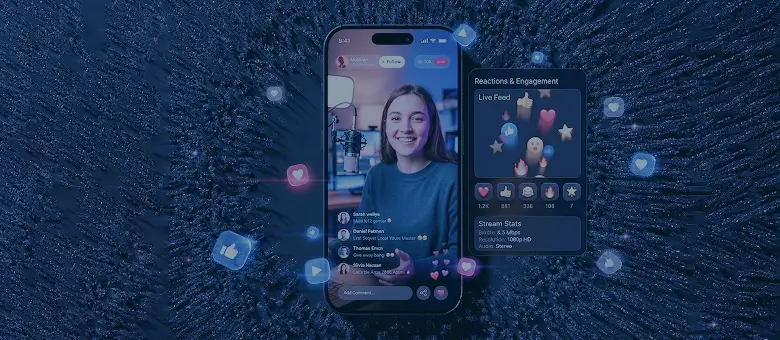
A live streaming app enables users to broadcast and watch video in real time, with minimal delay between capture and playback. Unlike traditional video platforms, where content is uploaded and consumed later, live streaming focuses on instant interaction and continuous delivery.
At a technical level, a live streaming app captures video from a device, processes it through a streaming pipeline, and delivers it to viewers through optimized networks designed to minimize latency and maintain quality.
Most modern platforms combine live streaming with additional layers such as:
- real-time chat and reactions
- user authentication and profiles
- recommendation and discovery systems
This combination turns streaming apps into interactive ecosystems, not just video players.
Why the live streaming market is hard to ignore
The global live streaming market is expected to reach $345 billion by 2030. Moreover, live content now accounts for approximately 28% of all online video consumption, and live videos generate six times more engagement than pre-recorded ones.
What’s driving this isn’t just entertainment. Live streaming has become an operational infrastructure for entire industries. Telehealth providers use it to deliver remote consultations at scale. EdTech platforms host live lectures, surgical training sessions, and certification programs. Retailers have made live commerce a serious revenue channel, particularly in Asian markets where it already drives billions in annual sales.
User expectations have risen sharply — people who watch live streams daily know immediately when quality is poor, latency is high, or the experience feels unpolished. Building a live streaming app in 2026 means competing against platforms that have spent years and hundreds of millions of dollars refining their products. The bar is high, but so is the opportunity for companies that get the fundamentals right.
Types and examples of live streaming apps: choosing your category before you build
Before making any technical decisions, you need to define what kind of streaming product you’re building. This choice directly impacts your architecture, monetization model, and scalability requirements. Here are the four primary types of streaming apps:
1. Live broadcasting platforms
These are real-time streaming platforms where one or multiple hosts broadcast to an audience.
Key characteristics:
- High scalability (thousands to millions of viewers)
- Moderate latency tolerance (5–30 seconds is acceptable)
- Heavy reliance on content delivery networks (CDNs)
Architecture implication: typically built around HLS or DASH for efficient large-scale delivery.
Examples:
- Twitch — gaming and esports streams, live events, and social interaction.
- YouTube Live — broad audience reach with live events, product launches, and creator streams.
- Facebook Live, Meta Live — social-focused live broadcasts integrated into networks and communities.
2. Video on demand (VOD) platforms
VOD platforms focus on pre-recorded content that users can watch anytime, often alongside live features.
Key characteristics:
- No strict latency requirements
- Strong focus on content organization and search
- Storage and encoding optimization become critical
Architecture implication: less pressure on real-time delivery, but more emphasis on storage, encoding, and recommendation systems.
Examples:
- Coursera — educational courses combining pre-recorded lessons and occasional live sessions.
- Udemy — mostly on-demand content with optional live Q&A sessions.
- Netflix — primarily VOD, occasionally experimenting with live events or premieres.
3. Audio streaming apps
These platforms prioritize real-time or near-real-time audio delivery, often with lightweight infrastructure compared to video.
Key characteristics:
- Lower bandwidth usage
- Higher tolerance for minor delays
- Simpler transcoding requirements
Architecture implication: can leverage similar pipelines as video, but with reduced infrastructure cost and complexity.
Examples:
- Clubhouse — social audio rooms and live conversations.
- Discord (Stage Channels) — community voice chats with live moderation and audience participation.
- Spotify Live (formerly Anchor Live) — live podcast streaming to listeners.
4. Hybrid and interactive streaming platforms
These apps combine live streaming with real-time interaction, turning passive viewers into active participants.
Key characteristics:
- Ultra-low latency expectations (often <1 second)
- Bi-directional communication (host ↔ audience)
- Complex state synchronization (chat, reactions, shared views)
Architecture implication: often requires WebRTC or similar low-latency protocols, plus more sophisticated backend systems to handle real-time interactions.
Examples:
- Discord (Go Live) — interactive game streaming with friends in real time.
- TikTok Live, Instagram Live — live commerce, audience reactions, and gifting features.
- Hopin, vFairs — hybrid events combining live streaming, chat, and networking in virtual conferences.
Why defining your streaming app type is important
Each category implies a completely different set of trade-offs:
- Latency vs. scalability
- Infrastructure cost vs. user experience
- Complexity vs. time to market
Defining your app type is an architectural foundation for everything that follows. Choosing the wrong model early can lead to unnecessary infrastructure costs, performance bottlenecks, or a complete need to re-architect later.
Live streaming app architecture: how it all fits together
Before you jump straight to features, protocols, tech stacks, and cloud providers, it makes sense to examine what a live-streaming pipeline looks like.
On a fundamental level, there’s a sequence of layers that takes raw video from a camera and delivers it to a viewer’s screen in near real time. Each layer has its own performance requirements, failure modes, and cost profile. Decisions made at one layer constrain what’s possible at the next. Here’s how it all fits together.
| Ingest → Media server → Transcoding → Packaging → CDN → Player |
At a high level, the pipeline works like this: a broadcaster’s device captures video and sends it to your ingest layer. A media server receives and processes that stream. A transcoding engine converts it into multiple quality levels. A packaging layer wraps it into the right format for delivery. A CDN distributes it globally. And a player on the viewer’s device reassembles and renders it.
Architecture
On the architectural side, most teams face an early choice between a monolithic setup and a microservices approach. Monoliths are faster to build and easier to operate at a low scale. Microservices give you the flexibility to scale the transcoding layer independently from the ingest layer, which becomes important when your concurrent viewer count grows. For most MVPs, a modular monolith is a reasonable starting point, with a clear path to decomposition later.
Infrastructure
One more early decision: managed services vs. custom infrastructure. Platforms like AWS IVS, Mux, and Agora abstract away most of the pipeline complexity — they handle ingest, transcoding, and delivery behind a single API. That’s a legitimate choice for teams that want to move fast or lack deep in-house streaming expertise.
The trade-off is cost at scale and reduced control over the delivery stack. Custom infrastructure takes longer to build but gives you full ownership of performance, latency, and spend. Many mature products end up in a hybrid position: managed services for early stages, progressively replaced with custom components as traffic and requirements grow.
Ingest and the media server layer
Ingest is the first step in your pipeline: it’s how a raw stream (usually from an encoder, a camera, or a mobile app) reaches your servers. The most common ingest protocol is RTMP (Real‑Time Messaging Protocol), which is widely supported by encoders, OBS‑style tools, and mobile apps.
However, SRT (Secure Reliable Transport) is emerging as a modern alternative, especially for enterprise and professional setups. SRT is encrypted by default, offers better error recovery, and is optimized for unreliable networks (common in live feeds from remote locations).
The media server sits between your ingest source and the rest of the pipeline. It’s responsible for:
- Receiving and buffering incoming streams from RTMP or SRT
- Managing multiple streams (e.g., different cameras, sources, or quality levels)
- Forwarding streams to transcoding or packaging components
Popular media servers include Wowza, Red5, or custom‑built solutions based on nginx‑rtmp. These components are often hidden behind APIs or SDKs, but understanding their role helps you reason about latency, stability, and scalability.
Transcoding and adaptive bitrate streaming
Transcoding is the process of converting a raw stream into multiple bitrate and resolution profiles so your app can deliver the right quality to each viewer based on their bandwidth, device, and network conditions. Without transcoding, you’d force all viewers to consume the same bitrate, resulting in buffering for low‑bandwidth users and wasted bandwidth for high‑bandwidth users. Adaptive bitrate streaming (ABR) solves this by dynamically switching between profiles.
Codec choices matter:
- H.264 (AVC) is the “safe default” as it’s widely supported, stable, and efficient.
- H.265/HEVC offers up to 50% better compression at the cost of higher CPU usage and licensing complexity.
- AV1 is highly efficient and open‑source, but not yet universally supported.
In practice, H.264 is the baseline, with H.265 or AV1 available if you want the best possible quality and your infrastructure can handle the extra compute.
Hardware vs. cloud transcoding is a cost‑scale trade‑off:
- Cloud transcoding (e.g., AWS MediaConvert, Mux, or Agora) scales elastically but can be expensive at high concurrency.
- On‑prem or GPU‑based transcoding is cheaper at scale but requires infrastructure management and up‑front investment.
CDN and delivery layer
The CDN is the delivery backbone of your live streaming app. It’s responsible for storing and serving your streams to users worldwide with low latency and high availability. Latency is heavily dictated by CDN placement:
- A single‑region CDN might be fine for a local audience, but an app with global reach requires a multi‑CDN strategy to avoid bottlenecks.
- Multi‑CDN setups (e.g., combining AWS CloudFront, Cloudflare, and Akamai) allow you to failover between providers, optimize for regional performance, and reduce costs.
When to use a single CDN vs. multi‑CDN:
- Single CDN is good for MVPs or regional apps where you want simplicity and cost‑efficiency.
- Multi‑CDN is necessary for large‑scale, global platforms where redundancy, resilience, and latency are critical.
Streaming protocols compared: RTMP, HLS, WebRTC, SRT, DASH
Protocol choice is one of the most consequential decisions in live streaming architecture, and it’s also one of the most confusing. The confusion comes from two factors: different protocols address different parts of the pipeline, and the landscape has evolved significantly in recent years.
Here’s a structured comparison of the five protocols you’ll encounter the most often:
| Protocol | Typical latency | Scale ceiling | Best use case | Implementation complexity |
|---|---|---|---|---|
| RTMP | 3–5 seconds | Moderate | Ingest/encoder-to-server | Low |
| HLS | 6–30 seconds (2–5s with Low-Latency HLS) | Very high | Broadcast delivery to large audiences | Low–medium |
| WebRTC | Under 500ms | Moderate (up to ~100K with SFU) | Interactive video, video calls, live auctions | High |
| SRT | 1–4 seconds | Moderate | Contribution feeds, unstable networks | Medium |
| DASH | 6–30 seconds (with CMAF chunking, 2–4s) | Very high | Adaptive delivery, multi-DRM support | Medium |
In practice, most production streaming architectures combine protocols: SRT or RTMP for ingest, a media server for processing, and HLS or DASH for last-mile delivery. WebRTC is added as a parallel path when interactive features require it.
Custom build, white-label, or SDK/API-first: picking the right path
Choosing the right development approach shapes your timeline, budget, and long-term flexibility. There are three distinct paths, and each makes sense in a different context.
| Custom development | White-label solution | SDK/API-first | |
|---|---|---|---|
| Time to market | 4–12+ months | 4–8 weeks | 4–10 weeks |
| Upfront cost | High | Low–medium | Low–medium |
| Ongoing cost | Medium (infra + team) | Medium–high (licensing) | Medium (usage-based) |
| Control | Full | Limited (you can tweak branding, configs, etc.) | Partial (core infra is vendor-owned) |
| Scalability ceiling | Unlimited | Vendor-dependent | Vendor-dependent |
| Customization | Unlimited | Cosmetic/moderate | Feature-scoped |
| Best for | Unique product vision, high scale, IP ownership | Branded communities, creator platforms, fast launch | Feature addition to existing app, MVPs, niche use cases |
Custom development is the right choice when your product has a differentiated vision that off-the-shelf tools can’t support, when you expect significant scale, or when owning your infrastructure is a strategic requirement. It demands more upfront investment — in time, budget, and team — but gives you full control over architecture, data, and the user experience.
White-label platforms let you launch a branded streaming product quickly by customizing an existing solution. They work well for creators, communities, and brands that need a professional streaming presence without a dedicated engineering team. The limitations? Customization is constrained, vendor lock-in is a risk, and licensing costs can become significant as your audience scales.
SDK and API-first tools sit in the middle. They give you programmatic access to streaming infrastructure through well-documented APIs, letting your team build a custom front-end and product experience while offloading the hard infrastructure problems. This approach works particularly well for teams adding live video to an existing product without wanting to build a media server from scratch. The trade-off is that you’re dependent on a third party for a core part of your stack, which has implications for cost predictability and vendor risk at scale.
How to build a live streaming app: the development process
If you’ve landed on custom development as your path — or a hybrid approach that starts SDK-first and migrates to custom infrastructure over time — the question is how to execute the build. Below you will find a realistic, timeline‑aware roadmap.
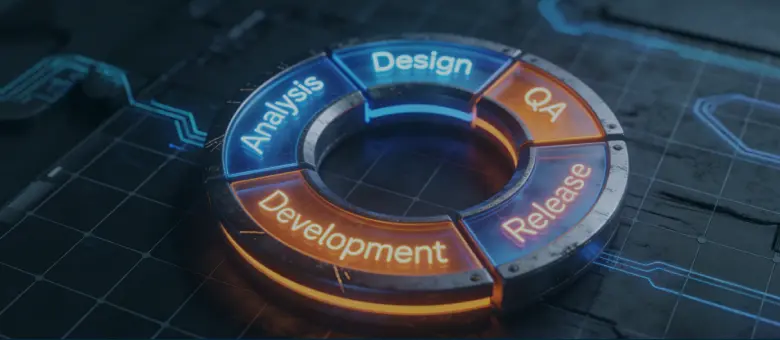
Step 1. Define the product and validate market fit
Before writing a single line of code, ask yourself: who is this app for, and why should people use it instead of other platforms? Getting a data-driven answer to this question usually takes 1–2 weeks and requires audience research, competitor gap analysis, and problem‑space framing.
Use jobs‑to‑be‑done language to map user behavior. This helps surface features that genuinely solve pain points. A quick SWOT exercise (Strengths, Weaknesses, Opportunities, Threats) can clarify whether live streaming should be the core of your app or a supporting feature.
Step 2. Set technical requirements and choose your stack
This is where you connect the architectural choices (RTMP/WebRTC, ABR, CDN, managed vs. custom) to concrete technical decisions. Expect 1–2 weeks of work with a business analyst and the technical team.
You’ll define:
- Hosting (cloud‑only vs. hybrid, regions, SLAs)
- Database choices (e.g., PostgreSQL for relational data, Redis for real‑time state)
- Backend stack (Node.js, Python, Java, etc.)
- Frontend stack (React Native, Flutter, or native iOS/Android) based on your target platforms
At this stage, you should also sketch the team composition:
- Project manager (orchestrating timeline and budget)
- Business analyst (bridging product and tech)
- Developers (backend, frontend, streaming‑specific)
- QA engineers
- UX/UI designers
For a deeper look at how feature‑rich social‑style engagement can be built on top of streaming, see our social media app development guide.
Step 3. Design the UX for real‑time engagement
User experience directly affects retention, engagement, and monetization. Figuring out the basics of your live-streaming app’s UX usually takes 2–3 weeks. Treat this step as equal in priority and importance to the infrastructure.
Key principles:
- Video as the hero element, with minimal chrome (i.e., UI clutter) around it
- Low‑friction controls for actions like starting a stream, switching cameras, and enabling chat
- Accessibility built in from the start: high‑contrast color schemes, readable text sizes, and support for screen readers and keyboard navigation
Step 4. Build and test the MVP
MVP development typically takes 6–10 weeks for a well‑scoped live streaming app. The focus is on the core streaming loop: ingest → transcoding → CDN → player + basic chat and authentication.
At this stage, your team should:
- Build a solid foundation first, then add features iteratively
- Run load testing at realistic concurrency levels (e.g., 1K concurrent viewers) using tools like JMeter or Locust to simulate real‑world traffic
- Release a beta via TestFlight (iOS) and Play Store beta (Android) to gather early feedback before public launch
This stage is also where you validate that your architecture actually works under load and that your QoE (quality of experience) is acceptable.
Step 5. Handle compliance and security before launch
Treat this as a parallel track, taking about 1 week near the end of the MVP build.
Key areas to cover:
- Token‑based stream access to prevent unauthorized viewing
- Digital rights management (DRM) basics (e.g., Widevine and FairPlay) for paywalled or premium content
- Privacy regulations such as the General Data Protection Regulation (GDPR), California Consumer Privacy Act (CCPA), and the Children’s Online Privacy Protection Act (COPPA) for user data handling
- App Store and Play Store rules for live‑content apps, especially around background audio, suspension behavior, and real‑time moderation
Neglecting this step can result in rejection, fines, or brand‑damaging leaks.
Step 6. Launch, monitor, and scale
The launch is the start of the monitoring and scaling phase. Expect fine‑tuning and incident response in the first few days, especially as your real‑time traffic patterns diverge from your tests.
Key activities include:
- App store submission nuances for live apps, including special review for background behavior and data‑collection practices
- QoE metrics to track post‑launch: latency, buffering rate, viewer drop‑off, and concurrent viewer count
- Infrastructure scaling decisions: when to move from a single CDN to a multi‑CDN setup, when to add regional transcoding nodes, and when to increase encoder capacity
After launch, the cycle continues: gather feedback, iterate, and scale, turning your MVP into a stable, growing product.
Scale with dedicated teams of top 1% software experts across 15+ global hubs to double development velocity while maintaining cost efficiency.
Talk to an expertLive streaming app features: MVP vs. full product
Feature scope is where streaming app budgets often spiral out of control. Teams arrive at the build stage with a list of everything they’d eventually like to ship, then struggle to cut it down to what’s actually needed to validate the product.
The practical answer is a two-tier approach: build the smallest set of features that produces a genuinely useful streaming experience, gather real user feedback, and expand from there. Here’s how those two tiers break down.
MVP feature set
| Feature | Why it matters | Complexity |
|---|---|---|
| User authentication | Foundation for personalization, subscriptions, and moderation | Low |
| Live broadcast (start/manage/end stream) | Core product loop, the reason the app exists | High |
| Adaptive video playback | Ensures quality degrades gracefully on poor connections | Medium |
| Live chat | Primary engagement mechanism during streams | Medium |
| Push notifications | Alerts viewers when a stream goes live | Low |
| Basic user profiles | Covers streamer identity and viewer subscriptions | Low |
| Content moderation controls | Required by app stores; protects users and the platform | Medium |
| Stream recording and replay | Extends content lifetime beyond the live window | Medium |
Content moderation deserves specific emphasis here. Many teams treat it as a post-launch problem. App Store and Google Play increasingly view it as a submission requirement, particularly for apps that allow public, user-generated live content. Building basic reporting, keyword filtering, and host controls into the MVP is significantly cheaper than retrofitting them after a rejection.
Beyond the MVP, a second tier of features drives retention, monetization, and differentiation:
- Co-streaming — where multiple broadcasters share a stream — creates formats that audiences actively seek out.
- Virtual gifting gives viewers a direct, low-friction way to support creators and generates revenue with minimal UI complexity.
- Clip creation lets viewers capture and share moments from a live stream, extending reach organically.
- Advanced analytics dashboards give professional streamers the data they need to grow their audiences and improve their content.
- Subscription tiers with exclusive access create sustainable recurring revenue.
AI-powered features
Over the past few years, AI has moved from a differentiator to an expected capability. The features below are increasingly what users and creators expect from a competitive streaming product.
- Real-time captions: using APIs like OpenAI’s Whisper, apps can generate highly accurate subtitles in real time, making content accessible to the hearing-impaired and those watching in public spaces without audio.
- Auto-highlight reels: AI agents analyze chat spikes and audio levels to automatically clip the most exciting 30 seconds of a stream for social media promotion.
- Content moderation: tools like Hive Moderation or AWS Rekognition scan video frames in milliseconds to detect prohibited content before it reaches the audience.
- Smart thumbnails: AI dynamically selects the most engaging frame of a live broadcast to show in the “Explore” feed, significantly increasing click-through rates.
Monetization strategies for live streaming apps
Most guides on streaming monetization cover three models — paid downloads, freemium, and advertising — and stop there. That’s enough to understand the basics, but it’s not enough to make a good decision for your specific product. For a deeper look at how free apps generate revenue across different models, feel free to check out our monetization breakdown. Below, we will focus on monetization strategies specific to live streaming.
1. Subscriptions and freemium remain the most predictable revenue models for streaming products. Users pay a recurring fee for access to content, features, or both. The freemium variant gives away enough to demonstrate value, then gates the most compelling content or capabilities behind a paid tier. Netflix, Twitch, and Spotify all run variants of this model.
2. Advertising works at scale but requires a large audience to generate meaningful revenue. Cost Per Mille (CPM) rates for streaming ads vary significantly by vertical and audience quality — a niche professional audience commands far higher rates than a general entertainment one. Pre-roll, mid-roll, and display ads each create different trade-offs in the user experience.
3. Virtual gifting is one of the most underestimated revenue mechanisms in live streaming. The model is straightforward: viewers purchase virtual currency or digital items and send them to streamers during a broadcast. The platform takes a cut (typically 20–50%), and streamers receive the remainder. TikTok Live and Twitch’s Bits system have demonstrated that gifting can generate substantial revenue even from relatively small audiences, because the social visibility of gifting creates status incentives that drive purchases beyond pure generosity.
4. Pay-per-view suits event-based content: concerts, sports, exclusive interviews, or professional training sessions. Users pay a one-time fee for access to a specific stream, rather than a recurring subscription. The model works particularly well for platforms whose content is episodic and high-value rather than always-on.
5. Live commerce embeds purchasing directly into the stream: a presenter showcases products, viewers tap to buy without leaving the broadcast. Commission structures vary, but the platform typically earns a percentage of each transaction. Building live commerce requires product catalog integration, a checkout flow that doesn’t interrupt the viewing experience, and inventory management hooks.
6. B2B and SaaS licensing is the model Vimeo has built its enterprise business around. Rather than serving end consumers directly, you license your streaming infrastructure and tools to other businesses (e.g., media companies or event organizers) who use it to power their own streaming experiences. Revenue comes from tiered plans based on usage, features, or audience size.
Live streaming app development cost
To provide a transparent view of the required investment, we break costs into two categories: the upfront build and the ongoing “success tax” (infrastructure).
Build cost by tier
| Tier | Scope | Estimated build cost | Typical timeline |
|---|---|---|---|
| MVP | Single platform (iOS or Android), core streaming loop, basic chat, user auth, simple profiles, basic moderation | $40,000–$80,000 | 3–5 months |
| Mid-scale product | Two mobile platforms + web, full feature set, virtual gifting, subscriptions, analytics dashboard, multi-CDN delivery | $80,000–$200,000 | 5–9 months |
| Enterprise/full platform | Custom infrastructure, multi-region delivery, AI features, live commerce, DRM, white-label capabilities, advanced analytics | $200,000–$500,000+ | 9–18 months |
These ranges assume a mid-market engineering team — neither the cheapest offshore rates nor senior Silicon Valley salaries. They cover design, development, QA, and project management, but exclude third-party licensing costs and ongoing infrastructure spend.
Ongoing infrastructure cost
Build cost is a one-time investment. Infrastructure costs are permanent and scale directly with your audience.
| Concurrency level | CDN + delivery | Transcoding | Storage | Estimated monthly infra cost |
|---|---|---|---|---|
| Up to 1,000 concurrent viewers | Low | Managed service (Mux/AWS IVS) | Minimal | $500–$2,000 |
| 1,000–10,000 concurrent viewers | Medium | Cloud transcoding (AWS Elemental) | Moderate | $2,000–$15,000 |
| 10,000–100,000 concurrent viewers | High, multi-CDN recommended | Dedicated cloud or hybrid | Significant | $15,000–$80,000 |
| 100,000+ concurrent viewers | Enterprise CDN agreements | Custom/GPU-accelerated | Large | $80,000+ |
These figures vary considerably based on stream quality, your audience’s geographic distribution, video-on-demand storage volume, and the level of encoding optimization.
What affects the final price
1. Team geography is the single largest cost variable. A senior engineering team in Western Europe or North America typically costs $100–$200 per hour. Equivalent talent in Eastern Europe runs $50–$100 per hour. Latin American and Southeast Asian markets offer competitive rates and strong time zone overlap for US-based companies.
2. Platform count multiplies costs predictably. Building for iOS and Android simultaneously adds roughly 40–60% to a single-platform build, depending on how much logic can be shared. Adding a web application on top of that adds another 20–40%. Cross-platform frameworks like React Native reduce this overhead but introduce their own constraints for media-heavy applications.
3. Protocol complexity affects both build time and ongoing infrastructure spend. A product built on HLS with a managed transcoding service is significantly cheaper to develop and operate than one requiring sub-second WebRTC latency at scale.
4. AI features carry their own cost profile. Real-time captioning, content moderation AI, and highlight generation all run on usage-based APIs. Costs scale with stream volume and are manageable at early stages, but need careful modeling at scale.
5. Third-party integrations (e.g., payment processors, DRM providers, or ad servers) each add licensing costs and integration engineering time. Budget $5,000–$20,000 per significant integration, depending on complexity.
6. Compliance work is frequently underestimated. GDPR implementation, COPPA architecture, DRM licensing, and App Store live content review preparation collectively add 10–20% to a typical build budget when done properly.
In-house vs. outsourced development: cost implications
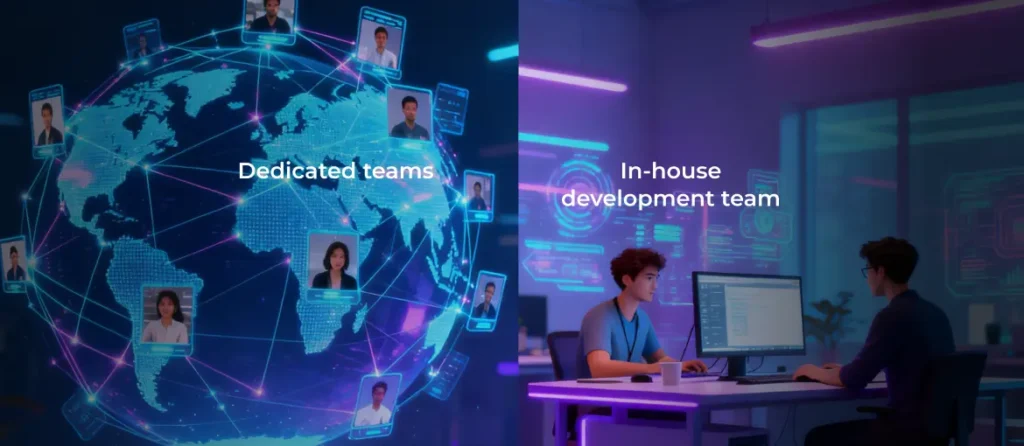
Building an in-house engineering team gives you continuity, deep product knowledge, and direct control over technical direction. It also carries high fixed costs: senior engineers command $150,000–$250,000 in annual compensation in major US markets, plus benefits, equipment, and management overhead. Building a team from scratch takes time that most product timelines can’t absorb.
By outsourcing live streaming app development to an experienced partner, you can significantly compress timelines and convert fixed headcount costs into variable project spend. Vetting for specific streaming project experience, protocol knowledge, and infrastructure competence separates capable partners from generalist shops that will learn on your budget. Our guide on choosing the right software development partner covers the evaluation process in detail.
A hybrid model — outsourced build with a small in-house team handling product direction and post-launch operations — balances speed, cost, and long-term ownership. It works particularly well for companies launching their first streaming product who expect to internalize more engineering capacity as the product matures.
Live streaming in practice: case studies
Beyond theory, building successful live streaming platforms comes down to making the right technical decisions under real-world constraints — scale, performance, and time-to-market.
Below are two examples that illustrate how these principles work in practice.
Case 1. Scaling a live streaming platform for medical education
A global educational platform needed to deliver live-streamed surgeries, lectures, and conferences to more than 10,000 dental practitioners worldwide.
The challenge was ensuring:
- High reliability during critical live procedures
- Seamless interaction through chat and user accounts
- Integration with specialized hardware and third-party streaming tools
The solution involved:
- A full re-architecture of the platform and mobile app
- Integration with external live streaming services
- Implementation of real-time communication features and payment systems
Result: the updated platform attracted 2X more users, strengthening its position in a highly specialized market.
Case 2. Rebuilding a global media streaming app at scale
A widely used financial media platform serving 50 million monthly users across 170 countries required a complete redesign and modernization of its mobile experience.
Key challenges included:
- Handling massive data throughput alongside video and audio streaming
- Unifying multiple native apps into a single cross-platform solution
- Improving performance without disrupting an existing large user base
The solution focused on:
- Migrating to a cross-platform architecture using React Native
- Integrating video and audio streaming with analytics and ad systems
- Running continuous A/B testing to optimize UX and engagement
Result: the redesigned app achieved significantly improved performance and usability, and was nominated for a Webby Award.
Conclusion
Live streaming app development rewards teams that treat architecture as a first-class decision rather than an implementation detail. The pipeline needs to be understood and designed before features are scoped or costs are estimated. The right protocol, CDN strategy, and build path depend entirely on what kind of streaming product you’re building and who you’re building it for.
Features and monetization follow from that foundation. An MVP that proves the core streaming loop works reliably is worth more than a polished app wrapped around an unstable media stack. And the costs — both build and infrastructure — are manageable when you plan for them up front, rather than discovering the infrastructure bill after launch.
Live streaming is becoming a core capability that can fuel your business success in 2026 and beyond. If you want to turn your concept into a live‑streaming reality, AgileEngine can help you:
- Map out your streaming pipeline and protocol choices
- Build a robust, scalable, and compliant architecture
- Launch a feature‑complete MVP and iterate toward a full‑product release with ongoing support
Ready to build a streaming experience that scales?
Boost development efficiency without breaking the budget. Our dedicated teams offer 2X cost savings, delivering in-house-level quality
Let’s chatFAQ
A focused MVP on a single platform typically takes three to five months with an experienced team. A full-featured product across iOS, Android, and web — with subscriptions, virtual gifting, and advanced analytics — runs nine to eighteen months depending on scope and team size. The biggest timeline variable is usually how quickly architectural decisions get made in the early weeks.
For most teams launching a first streaming product, starting with a managed service like Mux, AWS IVS, or Agora is the right call. You get a working streaming pipeline in days rather than months, and you can focus engineering resources on the product layer. Custom infrastructure makes sense once you have validated scale, a clear cost optimization target, or technical requirements that managed services can’t meet.
Yes — but not without deliberate infrastructure planning. At that concurrency level, you need multi-CDN delivery, auto-scaling transcoding, and load-tested origin infrastructure. Platforms like YouTube and Twitch routinely handle multiples of that number, but they’ve spent years and significant capital building the infrastructure to do so. For a custom product at that scale, expect infrastructure costs of $80,000 or more per month, with a matching engineering investment.
A live streaming app focuses on real-time broadcast — content is produced and consumed simultaneously. An OTT (over-the-top) platform is a broader concept: it delivers any video content over the internet, including live streams, VOD libraries, and linear channels, typically with its own subscription or monetization model. Most mature streaming products are effectively OTT platforms that include live streaming as one capability among several.
Not necessarily, but the two have different technical requirements that need to be considered. Live streaming demands low-latency ingest, real-time transcoding, and ephemeral stream management. VOD requires efficient storage, fast retrieval, and content metadata management. Many platforms handle both through a shared backend with separate service components for each. The key is designing the data models and API layer to accommodate both from the start, even if you only launch one initially.
It depends on your audience. If your target users skew toward a specific platform — check where comparable apps see the most engagement in your category — start there. iOS users in Western markets tend to be more willing to pay, which matters if subscriptions or pay-per-view are central to your model. Android gives you a broader global reach. Web is often the fastest to ship and valuable for SEO-driven discovery, but this option has its own technical considerations around browser codec support and background playback. Many teams launch iOS and web simultaneously for an initial beta, then add Android in the following sprint.

![A smartphone and a tablet with monetization elements (banner ad and in-app purchase button) displayed on the screen]](https://dliwjjrllagqi.cloudfront.net/wp-content/uploads/2026/03/How-Do-Free-Apps-Make-Money_-Monetization-Explained.webp)